How photobooth operators sell more extras (without a sales pitch)
Guestbooks, props, an extra hour - the extras that grow your revenue per booking. Here's how to present them at the moment clients actually say yes.
Most photobooth revenue growth doesn't come from booking more events - it comes from getting more value out of the bookings you already have. Extras like guestbooks, prop packages and extra hours are where that happens. The trick is presenting them at the right moment.
The problem with the PDF price list
Plenty of operators keep their extras in a PDF or a line on a quote. The client skims it, and the extras never come up again. There's no wrong intent - the offer just shows up at the wrong moment, when the client is thinking about budget rather than their event.
Offer extras where the excitement is
In Stripbuilder, your extras live in the client portal - the same place where your client is designing their own strip. That's the moment they're picturing their event and feeling good about it. A guestbook suddenly makes sense. An extra hour feels worth it.
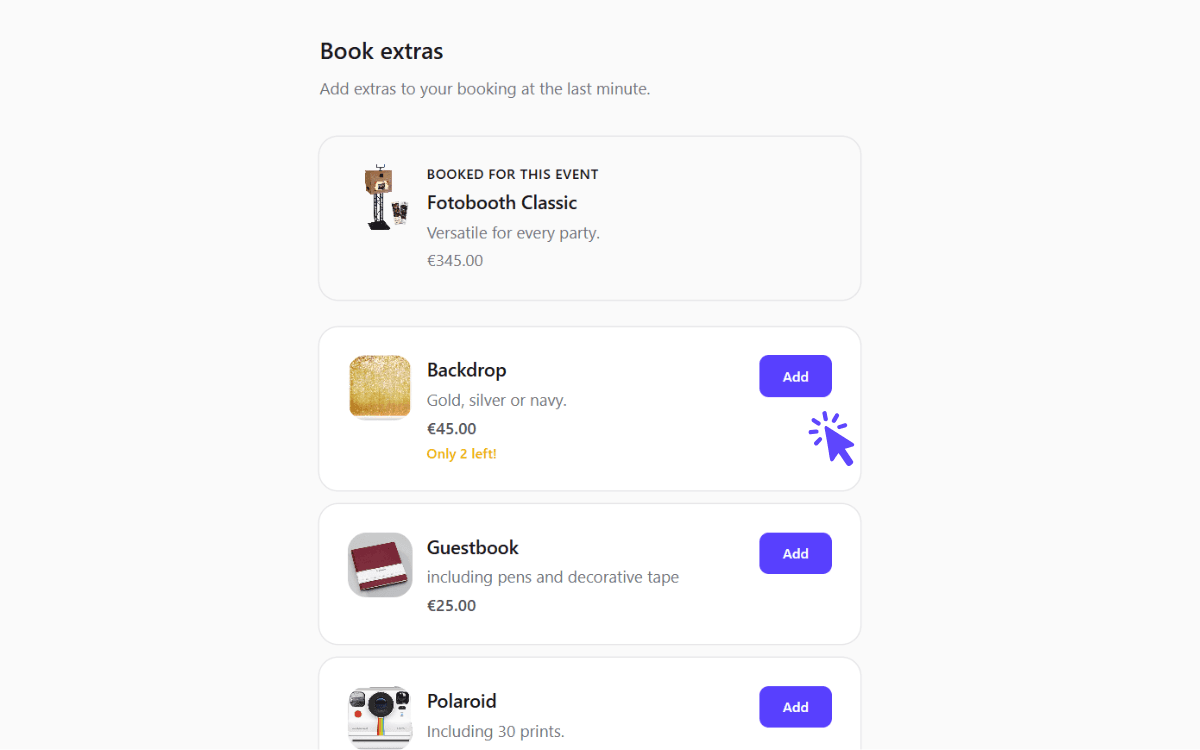
Your catalog as the client sees it, next to the design they're working on.
- Build your catalog once. Add each product with a name, price and description.
- Control it per booking. Choose whether extras are visible and which products from your catalog appear.
- Requests land on the booking. Chosen extras show up in your dashboard, ready to fold into your quote.
You stay in control of billing
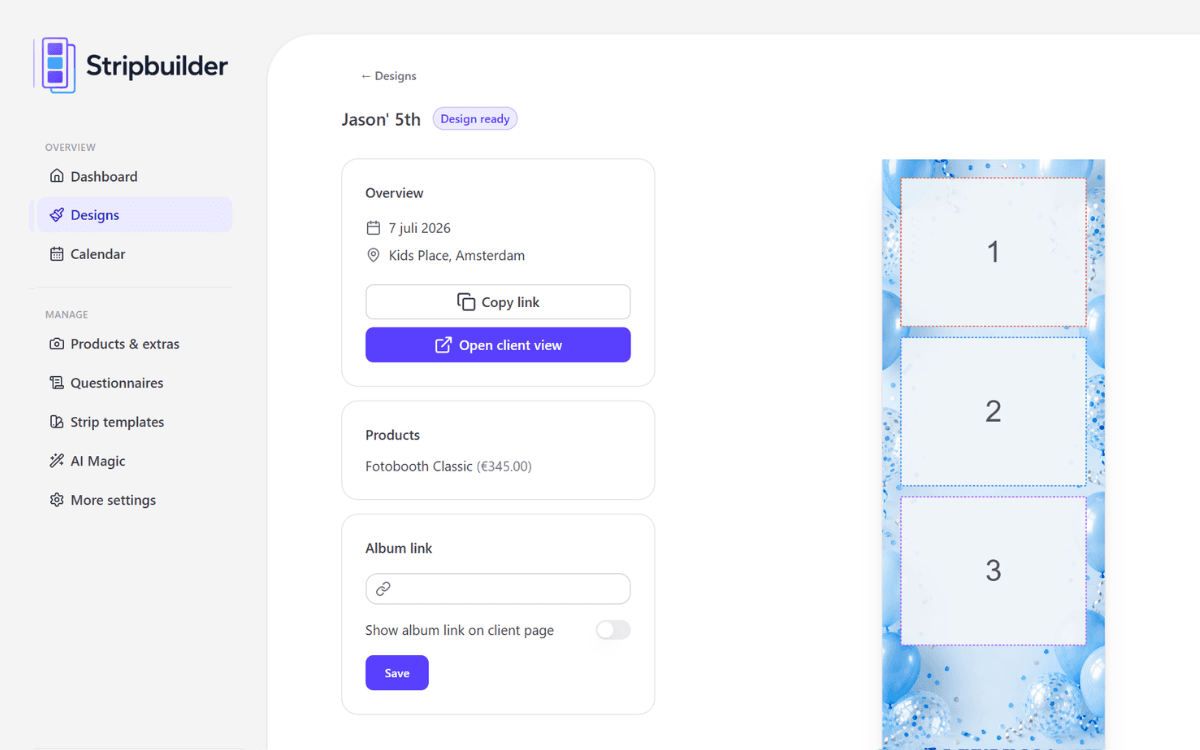
Chosen extras show up on the booking itself, so nothing has to be copied over from an email thread.
Clients indicate which extras they'd like - you handle the invoicing the way you already do. There's no online checkout to set up and no payment platform to manage. The point is simply to surface the offer at the right moment and capture the interest.
Small change, real difference
Moving your extras from a static price list into the design flow is a small change that compounds across every booking. Over a busy season, that adds up.
Want to build your first catalog? Start your 7-day free trial.
More articles
Mid-October updates: a new look and bleed on export
The operator dashboard has been rebuilt around a calmer shell and simpler navigation, print-ready exports can now carry bleed for Breeze and DNP, and there's a yearly plan at €295.
New: the booking widget for your own website
No booking system? Now Stripbuilder is one. Put a single snippet on your site and clients book a free date, photobooth and extras themselves. Everything after that runs on its own.
September updates: your own branding, your own calendar
Put your own logo and colours in front of your clients, get your bookings into the calendar app you already use, and choose how you export your strips.