New: the booking widget for your own website
No booking system? Now Stripbuilder is one. Put a single snippet on your site and clients book a free date, photobooth and extras themselves. Everything after that runs on its own.
The best thing about Stripbuilder is that you set it up once and then stop thinking about it: a booking comes in, your client automatically gets a link, designs the strip, and you print. Until now, though, that needed a booking system sending bookings over through Zapier, Make, n8n or our API.
Plenty of operators don't have one. Bookings arrive through a contact form, Instagram or the phone, and get typed over by hand. For them there's now the booking widget: a booking form with an availability calendar that goes on your own website. No integrations, no extra software. Stripbuilder simply is your booking system.
What your client sees
A calendar with your availability appears on your website:
- Green: there's room.
- Yellow: one place left.
- Red: fully booked.
- Grey: you're closed that day.
Your client picks a date, a photobooth and any extras, then fills in the details: event name, delivery address, name, email and phone number. Prices are shown including VAT, with a total at the bottom.
A few details that round it off:
- Travel costs: worked out from the delivery address, as a flat fee, a price per km, or both. If an address is outside your service area, the client can't book.
- An NL/EN switch in the widget itself, for international clients.
- Stock counts. If you have two mirror booths, a third booking on the same day isn't possible. The same goes for extras with stock.
- No Stripbuilder logo. The widget carries your company name and logo, and with Huisstijl on, your brand colour too.
What happens next
You choose per widget how automatic it should be.
Approve manually. The booking lands in your Requests inbox and your client immediately gets an email saying the request is in. The date stays held until you decide. Approve it and your client gets the link to design the strip. Reject it and they can get an email with your note, and the date frees up again.
Confirm automatically. The booking is confirmed straight away. While booking, your client signs your terms and conditions with their name and gets the design link right away. You don't need to do anything until a print-ready strip is waiting.
Either way, emails go out with your company name as the sender. If your client replies, it simply reaches you.
How to put it on your site
Allow about fifteen minutes, and you may well have done most of it already.
- Products. Make sure your photobooths and extras are in there, with a price and optionally stock. New: choose the strip template each photobooth starts from.
- Availability. Set your opening hours per day, the maximum number of bookings per day, and days you're closed (one-off or every year, like Christmas).
- Integrations → New widget. Choose which photobooths and extras can be booked, whether you approve manually or confirm automatically, and optionally switch on travel costs with your departure address. On the right you immediately see a preview of what your client sees.
- Embed. Copy the snippet and paste it onto your website. In WordPress, Wix, Squarespace or Webflow, use a custom HTML or code block. The widget adjusts its height automatically.
No website, or want to share it on Instagram, in WhatsApp or in your email signature too? Under Embed there's also a direct link to a booking page of its own.
Already have a booking system?
Then nothing changes. The API integration with Zapier, Make or n8n is still the way to pass bookings from your existing system automatically. The widget is for everyone who doesn't have that system (yet), and you can use both side by side: for example, the widget on your site and the API for bookings through a partner.
Also new
- Photobooth documentation. The page with setup instructions and troubleshooting help now goes by that name and shows your guides as tidy cards, each listing which photobooths it applies to.
- Prices incl. VAT. Product prices, the widget and the confirmation email now say clearly that prices include VAT.
- Integrations in the menu. Integrations now sits directly in the sidebar; AI Magic has moved under More settings.
Questions about the widget, or a website builder where embedding won't work? Get in touch and we'll take a look.
More articles
Mid-October updates: a new look and bleed on export
The operator dashboard has been rebuilt around a calmer shell and simpler navigation, print-ready exports can now carry bleed for Breeze and DNP, and there's a yearly plan at €295.
September updates: your own branding, your own calendar
Put your own logo and colours in front of your clients, get your bookings into the calendar app you already use, and choose how you export your strips.
Case study: from invitation to photo strip in 6 minutes
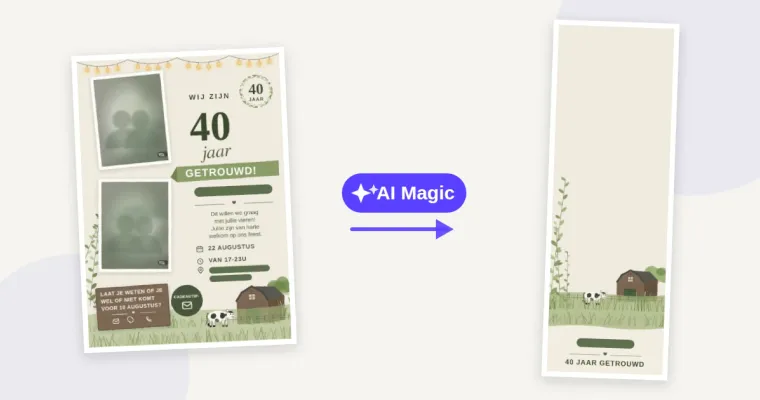
The client had one file: a JPG of their invitation. No working file, no separate illustrations and no original background. The photo strip still had to match it - with AI Magic that took about six minutes.