Case study: from invitation to photo strip in 6 minutes
The client had one file: a JPG of their invitation. No working file, no separate illustrations and no original background. The photo strip still had to match it - with AI Magic that took about six minutes.
You probably know the request: a client has an invitation they're completely happy with, and they want the photo strip to match it.
And what lands in your inbox?
A JPG.
This is exactly that kind of booking. A 40th wedding anniversary, booked six weeks out. Everything below is anonymised: names, faces and the address have been replaced. The design work and the steps are unchanged.
What came in
One image: an invitation on cream linen, with soft green eucalyptus along the edge, a wooden barn and a cow in the field, string lights across the top and dark green type.
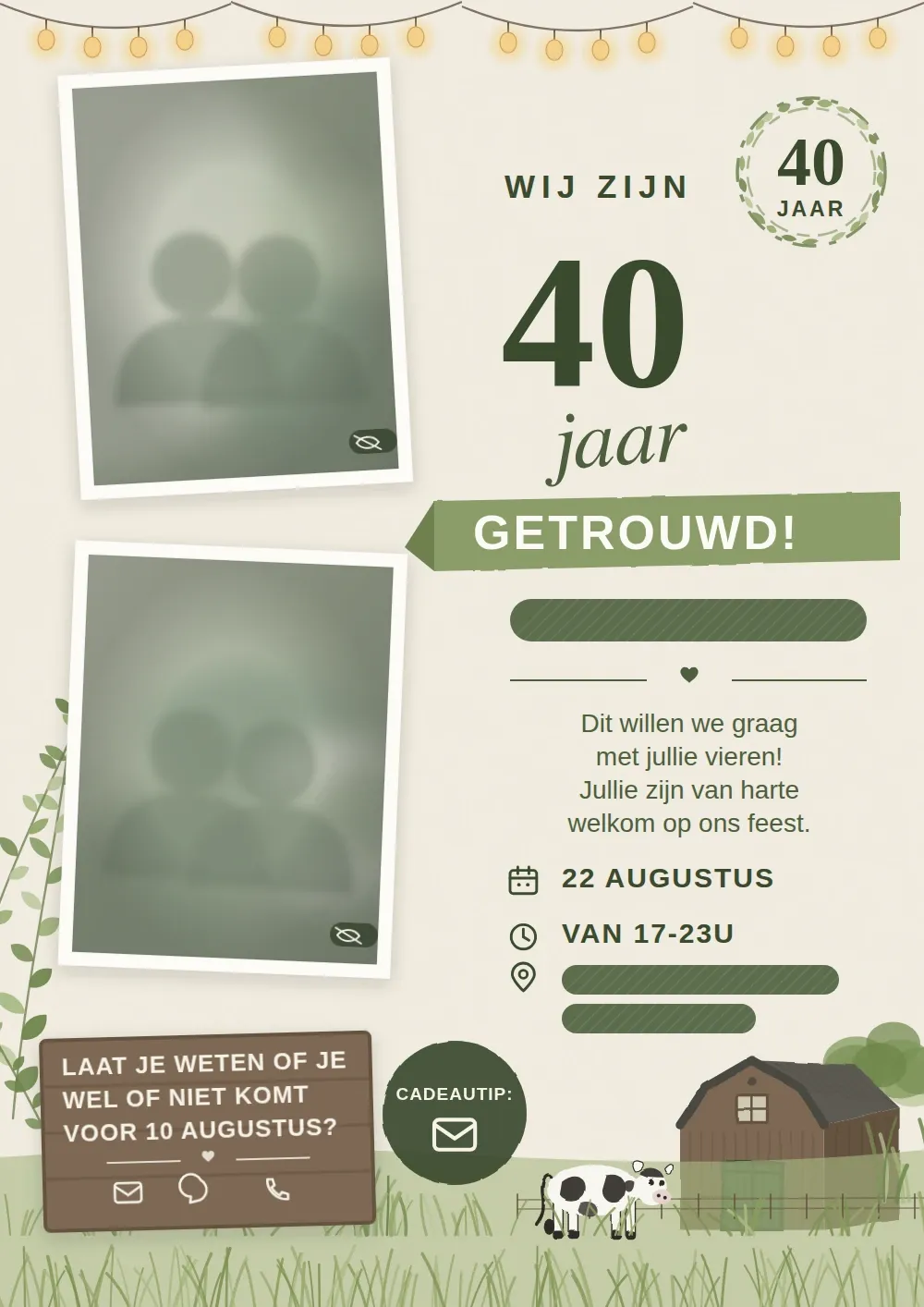
The material we worked from. Names, photos and the address have been removed. For the design, it was mainly the layout, colours and illustrations that mattered.
We started with the question you'd probably ask too:
Us: "Could you send the artwork separately? The background illustration without the text and photos?"
Client: "No, I don't have separate files."
That's the rule rather than the exception. The invitation was made by someone else at some point, or in a program the client can no longer open. That flat JPG is all that's left.
Traditionally that means: pulling colours out of the image, finding a barn illustration that fits, redrawing the branches, and then making all of it work in a narrow 2×6 format.
And before you know it, you've spent a good part of your afternoon rebuilding something that already exists.
The prompt
Instead, we went straight from the invitation into AI Magic.
We upload the JPG, choose From image, and give AI Magic a short description of what has to be kept and where there needs to be room for the photos.
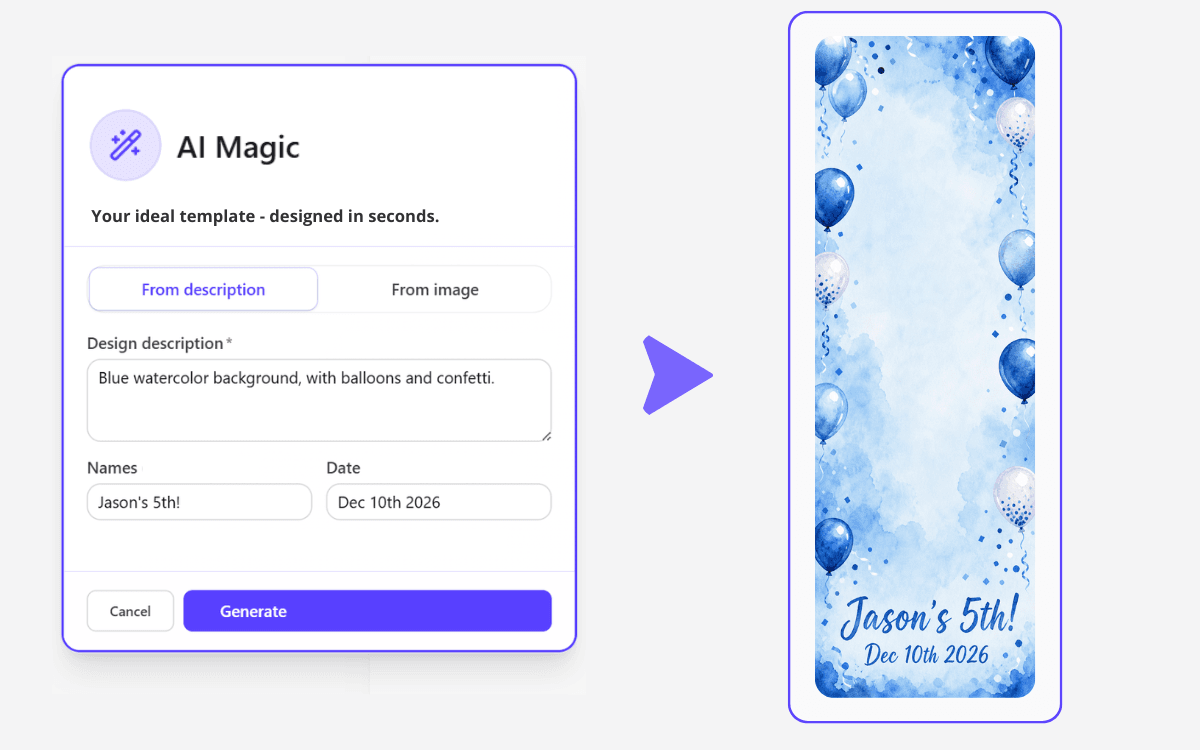
AI Magic can work from a description or from an uploaded image. For this job we used both.
This was the prompt:
Rustic watercolour in the style of the attached invitation. Cream linen background, soft green eucalyptus branches along the left edge, a wooden barn with a dark roof and green doors in the bottom right, a black-and-white cow in the grass. Keep the top two thirds empty for photos.
The prompt is deliberately short. Even so, there are three important things in it that help with almost any photo strip.
1. Name what has to be kept
Name the elements that make the invitation recognisable: the colours, branches, barn and cow.
Whatever you don't name, the AI may replace or leave out.
2. Say where the elements go
"Along the left edge" and "in the bottom right" aren't throwaway details.
An invitation is usually a portrait card, while a photo strip is tall and narrow. So the elements have to be laid out again.
Give the AI direction instead of expecting the right composition to appear on its own.
3. Reserve room for the photos
This is probably the most important line:
"Keep the top two thirds empty for photos."
Without that instruction, the AI can produce a beautiful design that leaves no room for a single photo.
The result
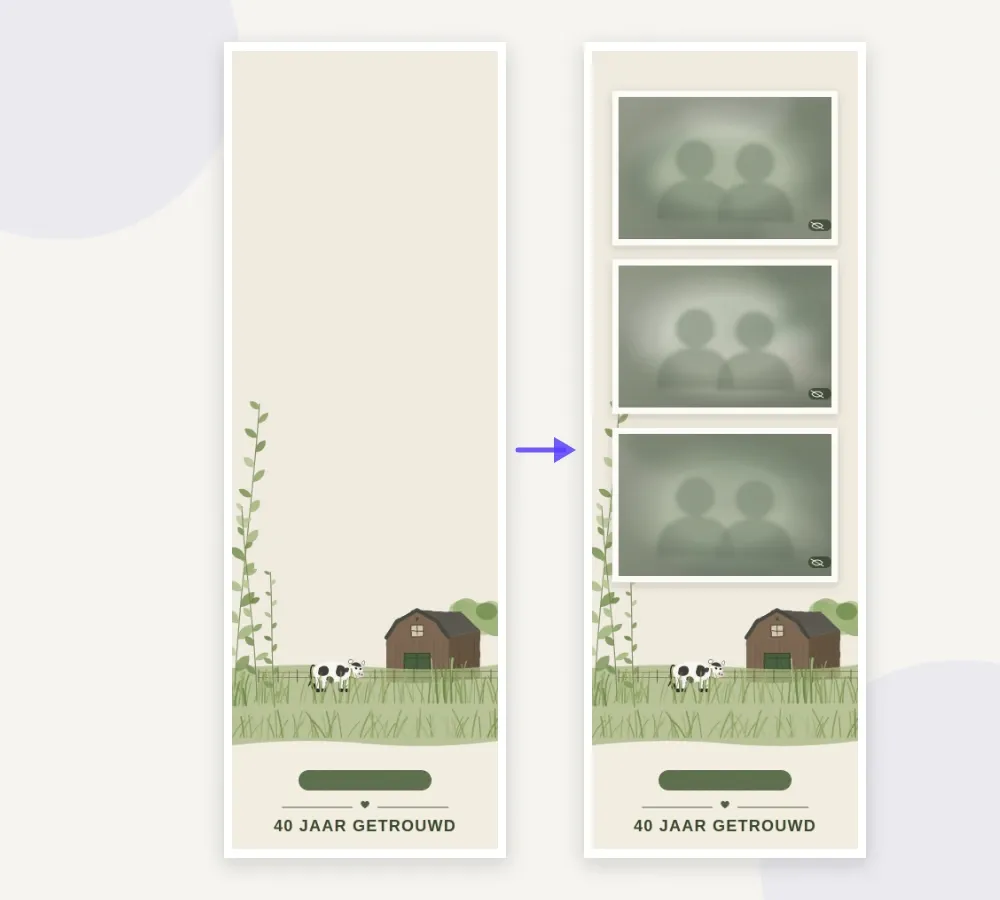
Left: the generated background at strip dimensions. Right: the same strip with photos.
The style and key elements of the invitation are kept, but rebuilt for the much narrower strip format.
The eucalyptus branches run along the left edge, while the barn and cow sit in the field at the bottom. The top stays deliberately quiet, so the photos can go there.
We also didn't have the AI generate the names or the "40 jaar getrouwd" line. Those were added afterwards as text in the editor.
That has two advantages: the text stays sharp in the final print, and you can change it later in a couple of seconds.
One small correction was still needed. In the first generation the barn sat dead centre, exactly where a photo had to go. One new generation solved that. After that, only the text block needed nudging.
What it actually saved
| Step | By hand | With AI Magic |
|---|---|---|
| Getting usable source files from the client | 10 min + waiting time | Not needed |
| Rebuilding the illustration | 45 min | ±40 sec |
| Refitting it to 2×6 | 15 min | Not needed |
| One revision round | 20 min | ±4 min |
| Total | ±1 hr 30 min | ±6 min |
So the difference isn't only in production time.
By hand you're easily an hour and a half in, rebuilding an existing invitation as faithfully as you can. And before you even start, you may be a day further along, because you first waited on original files the client turns out not to have at all.
With AI Magic the design was usable in about six minutes.
Not perfect from the first generation, but fast enough to make a revision round part of the process instead of a whole new design project.
Getting the most out of it
A few things that make your result better right away.
A phone photo is enough. A skewed, poorly lit photo of a printed invitation works fine. AI Magic still reads the colours, shapes and mood out of it and straightens the image. If you want more grip on the result, crop the photo down to just the design and name in the prompt what has to be in there.
You get a design in the same style. The invitation is the visual reference, not a mould. AI Magic turns it into a new composition that works at strip dimensions - exactly what you want, especially when the original invitation uses licensed illustrations.
Text goes in the editor. Names, dates and other details are added as real text. That keeps them sharp in print, correctly spelled and adjustable in a couple of seconds.
The version that pays off most
In this example we ran the generation ourselves, because the client asked whether we could take on the design.
But that isn't necessarily where the biggest win is.
The interesting variant is the one where you let the client do it themselves.
The client uploads their own invitation in the client portal, generates a matching background, and can carry straight on with the design. You don't have to email back and forth about files, colours and examples first.
That makes AI Magic not just a way to design faster, but a way to hand part of the design work to the client.
And with exactly those small requests - "Could you make the strip match our invitation?" - that can save a fair bit of time.
Want to try it yourself? Start your 7-day free trial and get 10 AI Magic generations to experiment with.
More articles
Mid-October updates: a new look and bleed on export
The operator dashboard has been rebuilt around a calmer shell and simpler navigation, print-ready exports can now carry bleed for Breeze and DNP, and there's a yearly plan at €295.
New: the booking widget for your own website
No booking system? Now Stripbuilder is one. Put a single snippet on your site and clients book a free date, photobooth and extras themselves. Everything after that runs on its own.
September updates: your own branding, your own calendar
Put your own logo and colours in front of your clients, get your bookings into the calendar app you already use, and choose how you export your strips.